Dashboard
Overview
The dashboard provides an overview for the user to modify general settings that affect the entire PyGREET Application. It also includes links for both the tester feedback survey and the openLCA interoperability website.
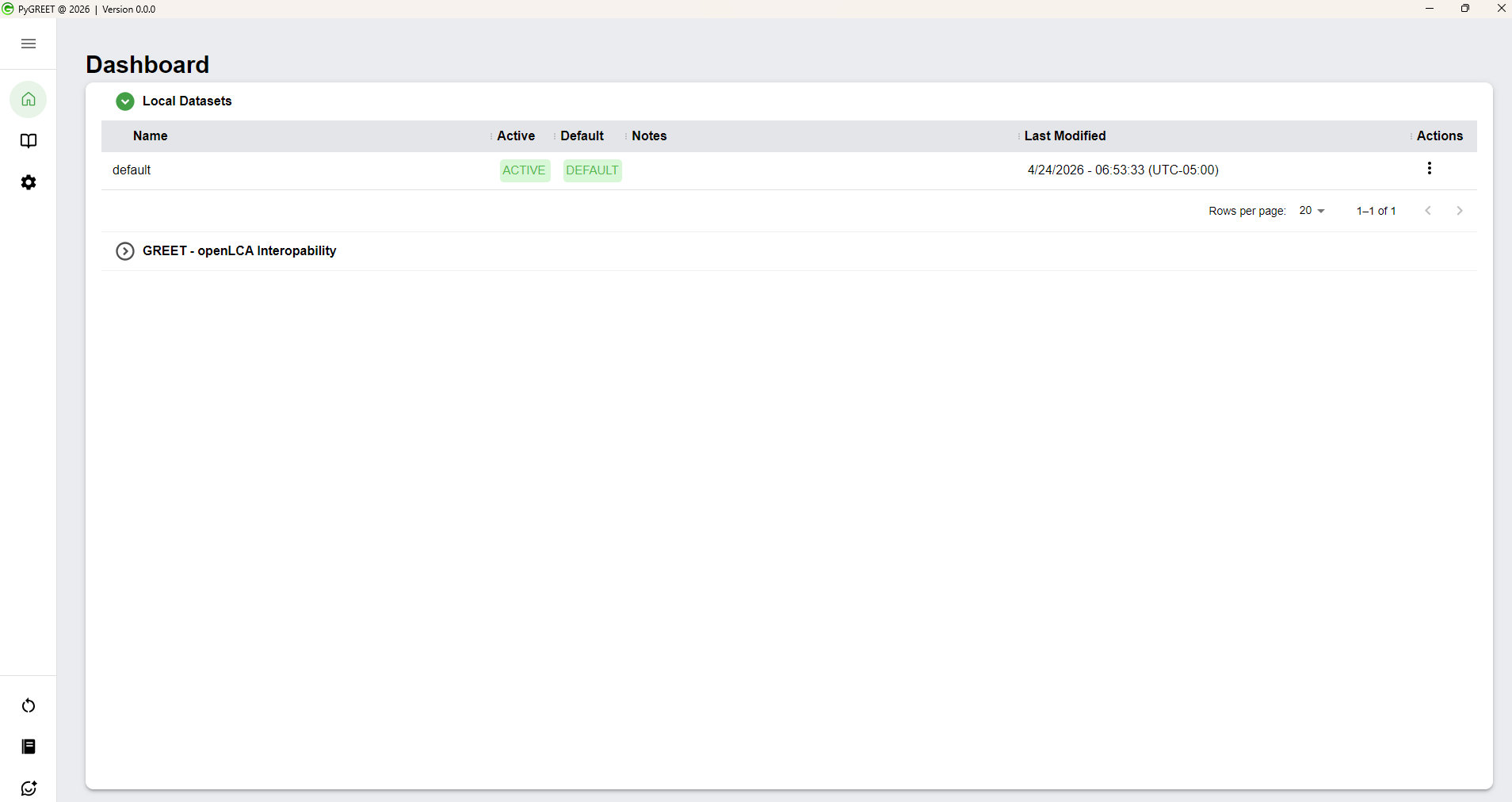
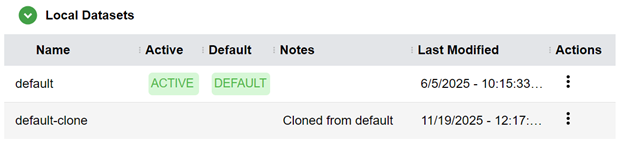
Local Datasets
The dashboard is primarily for the user to manage their local datasets. The Local Datasets table consists of:
- Name (user-defined)
- Note (user-defined)
- Last Update (auto-captured date/time stamp)
Managing Datasets
When clicking on the far-right ellipse menu in each row, you can:
- Activate the dataset (if not already active)
- Clone it to produce a copy
- Modify the note
- Delete the dataset (if not currently active)
Editing Dataset Information
- Update the name: Double-click on the name
- Change the note: Click on the triple dot icon in the Actions column, then click Note
Best Practices when Working with PyGREET
There are several tips and strategies the PyGREET team recommends when working with PyGREET. These are included in the table below, to provide users the best experience when working with PyGREET, to ensure ease of use, understanding of data, and computational accuracy.
| Best Practice | Explanation |
|---|---|
| Cloning the default database before starting, and activate the clone of the database to work with | Cloning the database ensures that the user has a backup to revert to incase undesired changes are saved. |
| Check to ensure the units used by a formula are consistent with any local parameters used | This helps to avoid any mathematical errors, such as adding between two inconsistent bases when not desired (e.g. having an input amount = 1 kg + 1 m). |
| Avoid to use negative values for conversion shares | While technically allowed, this creates confusion in the data and does not make scientific sense, and should be avoided. |
| Only use Input Groups when Necessary | Input groups are an advanced feature that may be difficult for other users to interact with whence saved, and should only be used as needed. Most inputs should be added as standard inputs. |
| Verify that when using a flow, the flow is able to be converted to the relevant unit | For example, if using a flow that has a solid state with volume units, ensure the flow has the relevant physical properties to convert between mass and volume. |
| Add notes to document any values and/or entities added | Documentation ensures that others can understand the scientific source of your data in future expansion/edits. |
| Rename Local Parameters to something specific to your use case | Leaving Local Parameters with the default name may be confusing to other users, and should be avoided. |
| Double check before saving any entity | Saving can be difficult to undo and potentially cascade to many other entities in the system, and so any changes should be double or triple checked before saving. |
| Document the main reason of using some auxiliary processes in pathway construction in the pathway notes | Similar to above, documenting changes made / new items added to the system ensures others can understand your work at a later point in time. |
| Double check Usage tab before deleting any entity | While the system will inform the user of any connections and prevent deleting connected components, the user should still double check the usage tab manually to detect where an entity is used and detach it before deletion. |
| Verify that a selected allocation method can be used for added coproducts | Allocation methods can depend on the physical properties of flows, and the math should be double checked in the allocation window before saving to ensure accuracy. |
| Double check and verify and dispalced products | Selecting Displacement for a Coproduct requires the user to add the displaced products, and it should be ensured this step is completed. |
| Ensure the carbon relations in the statinoary process editor is fully filld out and accurate | Carbon relations are necessary for biogenic carbon tracking, and should be filled out to ensure accurate results. |
| Define vehicle lifetime VMT, payload, passengers, and (if needed) electric range when possible, especially when adding materials to the vehicle cycle modeling | Vehicle Materials require the lifetime VMT to be defined for calculations to work, and other properties should be provided when possible to ensure the most accurate calculations. |
| Verify that when relevant, shares add up to 100% | This includes input shares, conversion shares, pathway mix shares, elemental compositions, transportation steps, etc. While some places do not mathematically require adding to 100%, adding the complete data is best scientific practice. |
| Before swapping an input in a process that is already used in one or more pathways, ensure that connections within the pathway are not broken (including non-standard pathways with vehicles) | Inputs that have a source of "Output of a previous process" require connection on the pathway canvas, and changing the input source may disconnect pathways that use that process. |
| Be aware of labels that offer additional information. Labels marked with an * astrisk hold additional information on hover over. | Additional information within editors provides insight into required data and best practices for working with PyGREET. |