Flows Editor
Overview
The Flows Editor in PyGREET enables users to create new flows or modify existing ones, including attributes like name, density, and heating value. Conceptually, a flow can play one of two roles:
- Resources: Inputs, raw materials, or product outputs used in various lifecycle stages
- Emissions: Pollutants or greenhouse gases released during lifecycle processes
Info
The Resource vs. Emission distinction is not a property stored on the flow itself. The same flow can act as either, depending on how it is used in a process, vehicle, or conversion technology. The same elementary flow (e.g., CO₂) may appear as an emission released by one process and as a resource consumed by another.
The Flows editor has two tabs for each entity:
- General Information Tab: Holds all of the properties of a flow to edit
- Usage Tab: Shows where the flow is used
The functionality of the usage tab is explained within the relevant section within the Tab Navigation Section.
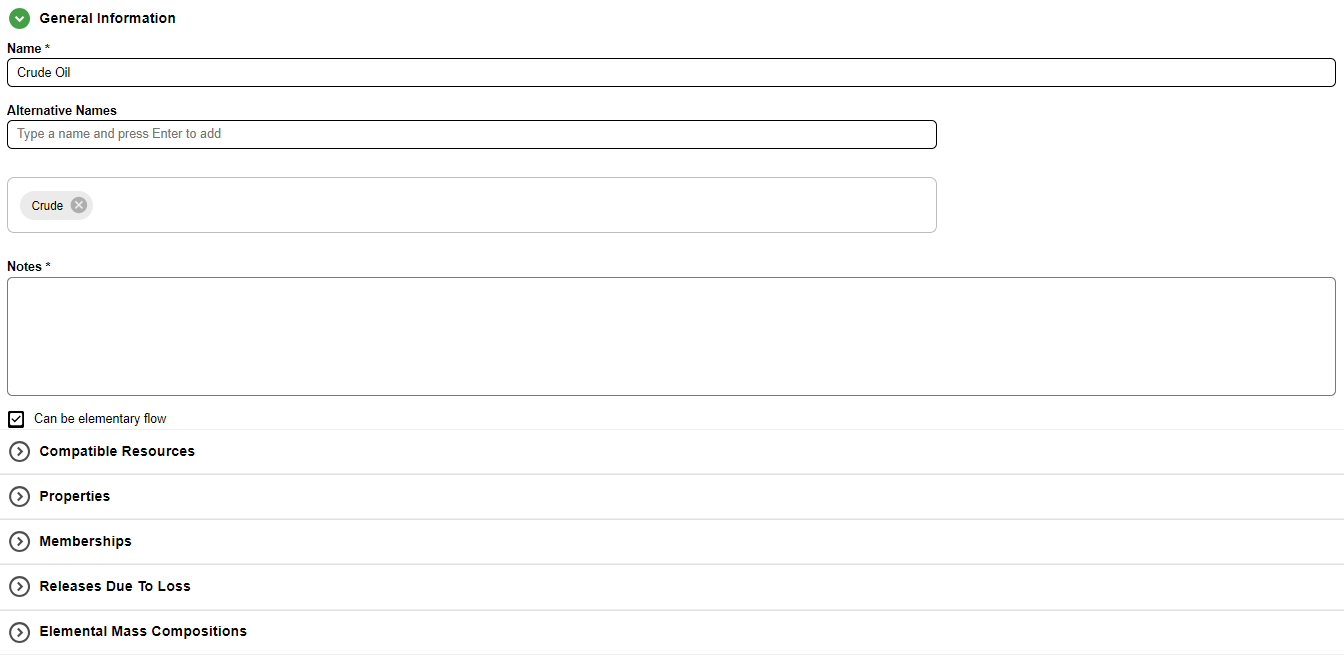
Flow General Information Tab
The general information tab for a flow is broken down into sections. Some sections may not be visible depending on user choices in prior sections.
Available Sections
- Top portion: Name, alternative names and notes for the flow
- Checkboxes: Elementary flow capability
- Compatible Resources Section
- Flow Properties Section
- Memberships Section
- Releases due to Loss Section
- Elemental Mass Composition Section
Info
The Can be elementary flow checkbox determines whether a flow can be considered as originating from or returning to nature without any upstream or downstream processes. When enabled, the flow can be used either as a primary resource from a well (e.g., crude oil, natural gas, wind, sunlight) or as an emission released to the environment. Counterexamples include soy oil, compressed natural gas, and gasoline. This setting determines the visibility of the group memberships section.
Alternative Names
Flows have an additional section to allow one or more alternative names to be defined for the flow. Alternative names can be used when searching for a flow in a dropdown input or the library filter.

Alternative names can be added by typing into the text box, and pressing enter. The name will be added to the box above, where they can be removed by clicking the X next to a name
Searching by Alternative Name
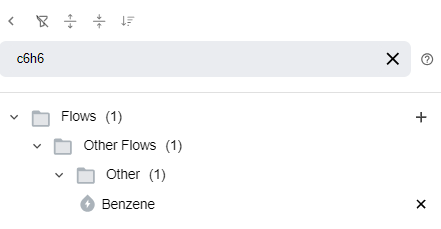
When searching for a flow in the library, alternative names can be used to search as well. For example, in the GREET Default data, benzene has an alternative name C6H6. Searching C6H6 in the library will show benzene as a result.
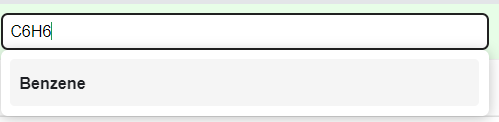
Searching for a resource in a dropdown menu (such as an input to a stationary process) also allows searching by alternative name
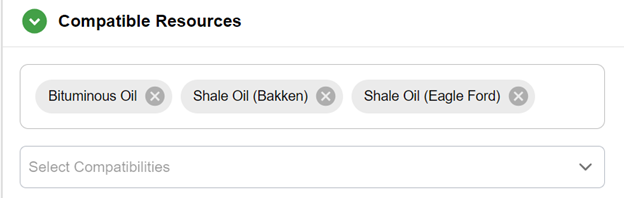
Compatible Resources
This section allows the user to designate which other resources are compatible with this resource. The user may search for resources in the search bar, and click on them in the results to add them to the compatible resource list.
Note
This section is only shown for resources.
How Compatibility Works
Compatible resources are considered when a resource is used within another entity.
Example: Crude oil and Bituminous Oil are considered compatible. If in a stationary process 10 units of crude oil are used, the source of the crude oil may come from entities that produce crude oil or bituminous oil (or a combination of the two).
Properties
This section provides inputs for various properties of the flow.
The user may enter values for each of these properties, and numeric inputs may be formulas or time series data (see the Formula / Time Series Editor section for more information).
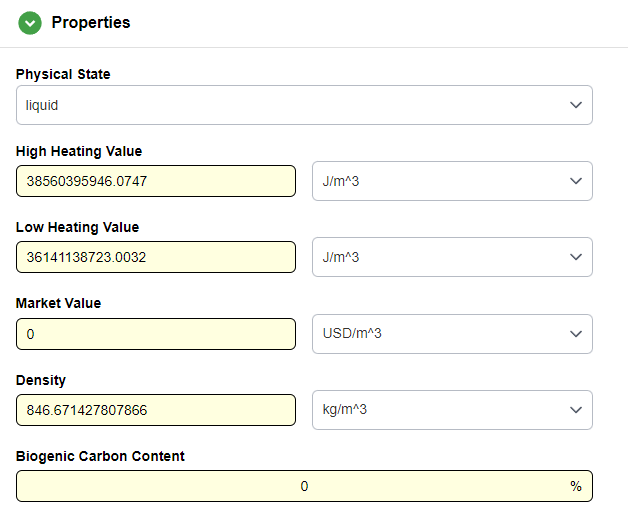
Density, low- and high-heating values, and market value are all utilized for calculating results; however, these properties remain optional. When provided, these physical properties facilitate several modeling tasks, including dimensions normalization (conversion between mass, volume, and energy), the calculation of co-product allocation ratios.
Info
The state of the material defines its physical state for the given properties. It is mostly used for calculating the energy intensities for some transportation modes.
Memberships
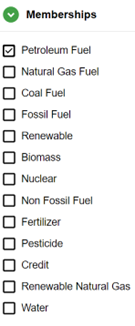
When flow is classified as an elementary flow, it can be assigned to multiple flow groups. This membership serves a dual purpose: it dictates the specific subfolder(s) where the flow is organized within the Library and, more critically, defines how results are aggregated within pathways and pathway mixes. By grouping these flows, the model can systematically group environmental impacts across different stages of the life cycle.
Each membership may be enabled/disabled by clicking the checkmark, as shown in the figure.
Releases due to Loss
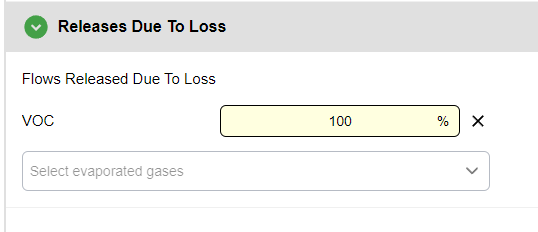
The Releases due to Loss section enables the user to modify the emissions generated during flow evaporation. Losses in the model are quantified as a percentage of the displayed quantity. The lost quantity may subsequently transform into specific pollutants during evaporation. The user can utilize the search bar to add or exclude different emissions and input numerical values for the evaporation %.
Elemental Mass Compositions
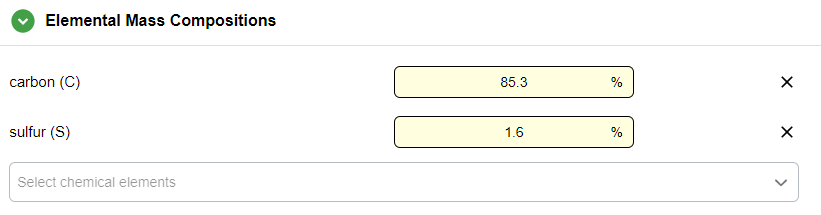
The Elemental Mass Compositions section enables the user to define the elemental composition of a particular flow. The elemental composition is quantified as a list of percentages summing up to 100%. The composition is used for material tracking, and the carbon and sulfur composition percentages (if any) are used for carbon and sulfur balancing.
Info
The Carbon and Sulfur Ratios, present in previous versions of PyGREET and in GREET.NET, should be entered as carbon and sulfur elemental compositions. This is already present for the default GREET dataset.
Working with biogenic materials
Use the Properties, Elemental Mass Compositions, and Memberships sections to identify biogenic materials. In the Memberships section, check the Biomass category; then, specify the biogenic portion of the material's total carbon content using the Biogenic Carbon Content property

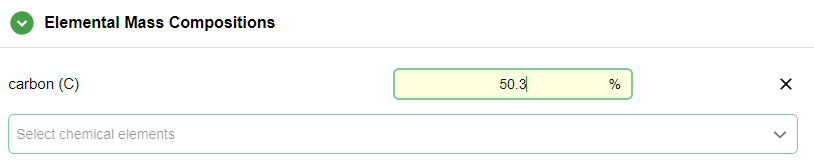
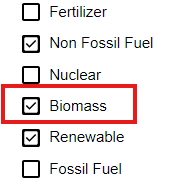
In this scenario, the resource flow has 50.3% carbon and 100% biogenic carbon. By using carbon relation matrices in stationary processes, this value propagates biogenic carbon content across the supply chain when the resource is primary.