Global Parameters Editor
Overview
The Global Parameters editor allows users to define custom parameters that can be used in the formula editor across all other editors.
Global parameters are grouped into groups in the Library for organization, however every global parameter can be used as a local parameter in a formula.
The Global Parameters view has two bottom tabs:
- General Information
- Usage Tab
General Information
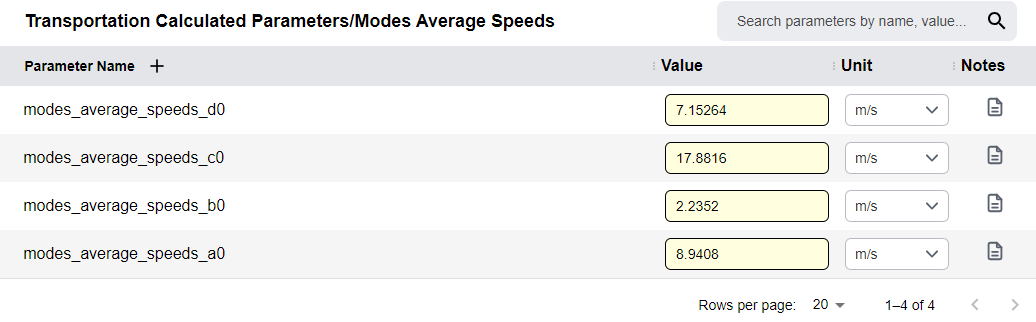
The General Information tab holds a table for all parameters defined within a Global Parameter Group.
Adding Parameters
- Click the
+icon next to the Parameter Name column header - This will add a row to the table
- Type in the name of a parameter
- Finalize by hitting enter
- Set the value and units of the parameter
Managing Parameters
- Add notes: Click the icon in the notes column to enter notes for the parameter
- Remove a parameter: Hover over it and click the
Xthat appears near its name - Rename a parameter: Double-click on the name of a parameter
Additional Features
- Rename group: Click on the group name at the top of the table
- Filter table: Use the search bar on the top right of the table
Usage Tab
The usage tab functions identically to other editors, as described within the relevant section within the Tab Navigation Section.
Group-Level Dependencies
The usage shows for the Global Parameter category. For example, a category with 4 parameters defined will show dependencies where any of the four parameters are used.